|
<< Click to Display Table of Contents >> Manual Activation |
  
|
|
<< Click to Display Table of Contents >> Manual Activation |
|
This chapter explains how you can manually activate Synkronizer.
The registrations steps 1 to 6 are explained in the chapter Registration.
| 7. | If no Internet connection could be established, the following screen is displayed: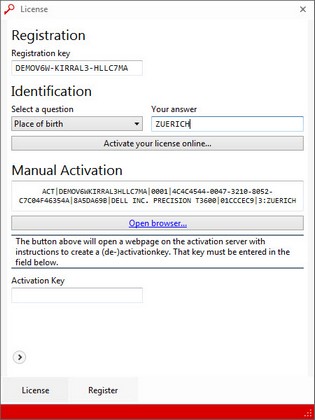 A data string that contains the activation data specific to your hardware is displayed and copied to your clipboard. |
| 8. | Click on "Open browser..." or the following link: http://www.synkronizer.com/generate-activation-key The following page appears: 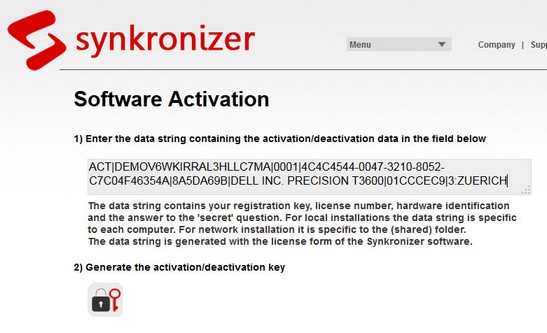 |
| 9. | Paste the datastring into the input field 1) and click on the activate symbol: |
| 10. | Note the activation key and return to the license manager of Synkronizer: |
| 11. | Enter the activation key in the input field "Activation Key". |
| 12. | The software is now activated. |
If you have any problems with the registration/activation process please read chapter "Problems with registration".